Products people choose.Systems industries depend on.
Flocci builds AI-powered products and connected work apps for people and teams, plus complete ERP and point-of-sale systems for enterprises, hotels, schools, retailers and restaurants.
Designed in India. Built for the world. Every product is engineered to lead its category and become stronger inside the Flocci ecosystem.
Built by a 10-year SAP Labs India engineer. MD Afsar Hussain left enterprise software to build Flocci. Explore the products and the thinking behind them.
Use a shared credit wallet for supported metered services. Set product budgets and member caps, then follow usage through one ledger in Flocci Account.
Turn a feature brief into proposed work items, audience responses into themes, or candidate material into a structured review. Each product shapes the output. You make the decision.
Bring supported product activity and platform usage into view. See patterns in adoption and spending, then follow evidence-backed suggestions into the relevant product.
Choose an app to see what it does, who it helps and how it works in practice.
SPECIALIST PRODUCTS. ONE FLOCCI WORLD.
FLOCCI LEADS 01 / 26
Leads Sales prospecting for Indian businesses
Find companies by market and location. Inspect the sources and reasons behind a match before revealing a contact, then work through calls, outreach and follow-ups from a prioritised queue.
Pick a market on the left, or run discovery. Every result keeps its sources and confidence.
Fictional businesses · illustrative scores from the Lead Score V2 model
Run discovery, open a ranked lead, then reveal and dial it.INTERACTIVE EXAMPLE
India-firstbusiness discovery
3confidence dimensions
Rep-ledcalling and follow-up
Inside The qualified prospect record
Discovery is the core product.
Find businesses from public sources rather than starting with another purchased spreadsheet.
India-first company discovery
Public directories and company sources
Signals, merging and deduplication
Provenance travels with the lead.
Separate a sourced fact from a weak guess.
Source URLs and evidence
Person confidence
Company and contact confidence
Reveal on purpose.
Keep contact access and spending visible.
Masked phone and work email
Deliberate record-level reveals
Usage and access controls
A queue a rep can actually work.
Prioritisation leads into a human-led sales action.
Ranked call queue
Call outcomes and notes
Follow-up dates
Outreach with context.
Prepare a more relevant conversation from the qualified record.
AI call scripts
Tailored outreach drafts
Lead enrichment
One team working record.
Keep sourcing and execution together as the team grows.
Shared organisation workspace
Qualification history
Shared wallet and budgets
FLOCCI PULSE 02 / 26
Pulse Surveys, live presentations and assessments
Collect data with surveys, forms, polls and quizzes. Present live with QR joining, word clouds and moderated Q&A. Experience Management (XM) tracks employee sentiment across survey waves and identifies what drives it. Persona turns branching assessments into individual profiles and team compatibility insights.
Pulse
Drive the session from the phone remote, or switch to the experience wave.INTERACTIVE EXAMPLE
9content formats
eNPStrue 0–10 measurement
QR + PINaudience participation
Inside The listening programme
Nine formats. One working surface.
Run quick questions and enduring programmes in the same dashboard.
Polls, quizzes and word clouds
Surveys, forms and petitions
Live sessions, XM and Persona
Present with the room in your hand.
Keep the audience involved while you control the session.
Phone remote and mirrored slides
QR/PIN joining
Moderated, upvoted Q&A
Measure experience properly.
Recurring XM programmes turn feedback into a measurement practice.
True promoter/detractor eNPS
Driver quadrants and segment heatmaps
Wave comparisons and branching journeys
Build assessments with substance.
Persona programmes produce profiles rather than treating every question as a quiz.
Scoring and branching
Compatibility grids
Consistency checks
Author with intelligence.
Describe the programme, review the result and launch with intent.
AI prefill across formats
Validated XM and Persona authoring
Supported assistant access through MCP/OAuth
Keep the evidence useful.
Move from raw participation to interpretable results.
Response analytics and exports
AI sentiment and themes
Shared organisation and credit controls
FLOCCI TALENT SUITE 03 / 26
Talent Suite Recruiting software from inbox to offer
Turn applications from Gmail into candidate profiles. Compare each person with the role, inspect the reasons behind a match and carry interview feedback, correspondence and offers through a 12-stage hiring pipeline.
Talent Suite
Pick a screened candidate, then act: invite, pool or move them on.INTERACTIVE EXAMPLE
12candidate stages
4screening dimensions
0–100explained role-fit score
Inside The hiring workspace
The inbox is the starting line.
Run controlled sourcing sessions against the mailbox applications already reach.
Connected Gmail sourcing
Filterable session results
Recruiter review before the next action
Resumes become working records.
Structured profiles retain the information a team actually compares.
Skills, work history and education
Content-hash reuse
Email-keyed profile merging
Screening with an explanation.
Read the evidence behind the score before you act.
Four weighted dimensions
Strengths, gaps and confidence
Rationale and recorded bias corrections
A pipeline with a complete memory.
Carry the candidate through the real hiring stages.
Twelve-stage candidate record
Interview and feedback notes
Offer and appointment correspondence
Messages under your control.
Make candidate-facing communication a deliberate part of the process.
Reusable templates
Recipient confirmation
Outbound history and tracking
An archive that stays useful.
Revisit candidates for the next role without starting the search again.
Reusable talent pool
On-demand role matching
Pipeline and recruiting reports
FLOCCI CHAT 04 / 26
Chat An AI support assistant for your website
Teach Chat from your site and files. It answers visitors using those sources and, when authorised, their account and screen context. When a person needs to help, the conversation goes to Flocci Desk with its history.
Chat
Ask as the visitor, then move the threshold and watch the answer policy change.INTERACTIVE EXAMPLE
5independent context layers
Deskhuman support handoff
Sourcesgrounded answers
Inside The customer conversation
Knowledge that grows with the site.
Bring the material people actually visit into the support knowledge base.
Page learning, including rendered pages
Website crawling
Uploaded documents and policies
Five layers of useful context.
Each layer contributes when available, without becoming a requirement for every deployment.
Product knowledge and verified identity
Current screen context
Authorised actions and Flocci activity
Honesty you can inspect.
Measure how the assistant answers instead of judging a polished demo.
Confidence distribution
Retrieval hit and fallback rates
Groundedness records
A real human handoff.
Escalation enters a support workflow with the original conversation.
Transcript-backed Desk tickets
Team email notifications
Replies in chat and email
Controlled connections.
Connect useful lookups without giving the assistant unrestricted reach.
Workspace-scoped knowledge
Configured tools and actions
Identity-aware access
An assistant that fits the product.
Embed support into the place a question arises.
Embeddable widget
Workspace configuration
Fallback and clarification behaviour
FLOCCI DONNA 05 / 26
Donna An AI meeting assistant for Google Meet
Donna joins the call as a visible participant and transcribes who said what. Find decisions, commitments, owners and deadlines, jump to the timestamp behind a promise, or ask a question across past meetings.
Donna
Select a moment to explore the meeting record.INTERACTIVE EXAMPLE
6analysis lenses
9report sections
Quotesand timestamps
Inside The meeting read
A visible meeting attendee.
Donna joins the conversation as a named participant.
Google Meet attendance
Meeting recording
Speaker-aware transcription
Six ways to read the room.
Choose analysis that fits the purpose of the meeting.
Six analysis lenses
Nine-section report structure
Evidence-backed interpretation
Commitments with receipts.
Make the difference between an intention and a dated commitment visible.
Quoted commitments
Owners and timestamps
Soft-deadline identification
The questions under the summary.
Surface what deserves another conversation.
Unanswered questions
Tension and changes of position
Decision trade-offs
A meeting archive you can ask.
Carry earlier context into the next discussion.
Archive questions
Cross-meeting memory
Traceable source context
A working follow-through record.
Return to the original words rather than relying on recollection.
Searchable transcripts
Linked recording context
Reports alongside the meeting
FLOCCI RECALL 06 / 26
Recall A searchable library for links and ideas
Save an article from your phone, bookmark a page in your browser or jot down a thought. Recall creates memory cards with summaries and bilingual keywords so you can find a source by its idea and share it with your team.
Recall
Save something from your phone, then recall it the way you remember it.INTERACTIVE EXAMPLE
14content types
Bilingualsearch keywords
Team-ownedorganisational memory
Inside The memory card
Capture without ceremony.
Keep the useful thing before the next notification arrives.
Phone share capture
Browser bookmark and link capture
Plain text notes
A memory card with substance.
Enrichment makes a collection useful beyond its titles.
Summaries and key takeaways
Topics and named entities
Bilingual keywords
Search the meaning.
Find a saved item without remembering the exact wording.
Natural-language queries
Cross-language concepts
Excerpts explaining each match
Curate together.
Keep discussion attached to the source material.
Shared collections
Viewer and contributor roles
Item comments
Memory the organisation keeps.
Use team spaces for work that must outlive an individual account.
Organisation-owned saves
Shared team collections
Managed member access
Private when it should be.
Separate personal, team and protected material.
Personal library and Vault
Private-item boundaries
Verified non-private retrieval in Chat
FLOCCI BENTO 07 / 26
Bento A visual editor for launch graphics and one-pagers
Arrange screenshots, charts, device mockups and type in a resizable grid. Fine-tune each panel and export the finished piece as PNG, JPEG or PDF.
Bento
Switch templates, tilt the device, edit the chart, restyle the board and preview export formats.INTERACTIVE EXAMPLE
4–16board columns
12 × 12grid inside each panel
2×PNG/JPEG export
Inside The launch composition
A grid with room to compose.
Control the board and the detail inside it.
Four to sixteen board columns
Twelve-by-twelve panel grids
Six starting layouts
Typography that carries the message.
Shape hierarchy instead of filling a fixed text slot.
Type, spacing and alignment
Layer order
Backgrounds, borders and radii
Show the product properly.
Give media a deliberate place in the composition.
Image crop and filters
Perspective device mockups
Precise panel positioning
Charts you can still edit.
Build the data visual as part of the design.
Vector charts
Editable data and styling
Live composition preview
Keep your iterations.
Make the next version without losing the last useful one.
Continuous save
Local recovery and undo
Named drafts and snapshots
Output with a purpose.
Take the finished composition into the channel you need.
Two-times PNG and JPEG
Landscape PDF
Preview/export parity
FLOCCI WORKSPACES 08 / 26
Workspaces A shared workspace you build from panels
Drag a Kanban board beside the project brief. Add sticky notes, a calendar, wiki pages and a database, then resize each panel to suit the team. Edit the actual work from the canvas and see today’s tasks and meetings together in My Day.
Workspaces
Follow the print fair crew from Friday’s site walk to opening time. Choose a moment to rearrange their shared desk.INTERACTIVE EXAMPLE
12-columncomposable canvas
7 typesnative database properties
4 viewsover the same records
Inside The team workspace
A saved canvas for the team.
Give each stream of work its own composed surface.
Twelve-column layout
Drag and resize panels
Saved shared workspaces
Live views, not copied content.
Work remains in the product that owns it.
Library pages and Projects boards
Calendar and Notes
Timesheets and Draw views
Native databases with depth.
Build a register without mailing a spreadsheet around.
Seven property types
Four record views
Filters, sorting and grouping
My Day sees across the suite.
Get a working agenda instead of visiting every app first.
Cross-suite tasks and events
Due and overdue context
Quick capture destinations
Chat with the canvas in context.
Ask about the work with your current view and access respected.
Current-canvas context
Member-scoped information
Flocci Chat assistance
More than a dashboard.
Bring collaboration and planning into the canvas.
Native meeting panels
Personal Day Planner
Two-way Timesheets context
FLOCCI LIBRARY 09 / 26
Library A team wiki for handbooks, specs and decisions
Write pages with tables, code, checklists and callouts. Nest them into handbooks, follow backlinks to related decisions and control who can read or edit a page or subtree.
Library
Choose who can see the page and watch the handbook change with it.INTERACTIVE EXAMPLE
16editor blocks
Livetwo-way backlinks
Page-levelaccess and sharing
Inside The team handbook
A real writing surface.
Compose the page the subject deserves.
Sixteen block types
Callouts, tables and charts
Code, embeds and checklists
Structure without a shallow ceiling.
Organise a growing knowledge base without flattening it.
Spaces and nested page trees
Subtree moves
Sidebar navigation
References that maintain themselves.
A link should not become a maintenance task after a rename.
Inline page references
Automatic backlinks
Rename-resilient targets
Access down to the page.
Keep the sensitive branch private while the useful page is shared.
Private spaces and subtrees
Named collaborators
Read-only public subtree sharing
A first draft when you need it.
Use a prompt to move past the blank page.
AI drafting
Editable generated content
Shared credit metering
Connect the working context.
Let a note become documentation and an issue retain its source.
Notes publication to Library
Projects issue links
Comments and contextual references
FLOCCI PROJECTS 10 / 26
Projects Sprint planning and issue tracking for teams
Break work into a backlog, review AI-drafted issues and plan sprints with story points. Follow owners and blockers across a five-status board, then review velocity and workload before the next sprint.
Projects
Choose a step to follow the example.INTERACTIVE EXAMPLE
5board statuses
Sprintsbuilt into delivery
AI draftsreview before creating
Inside The delivery board
Work with a clear shape.
Give the team more than a title in a column.
Typed work items
Owners and priorities
Issue links and context
Five statuses. One shared picture.
Move between views without creating another version of the work.
Five fixed board statuses
List and board views
Shared issue records
Native sprint planning.
Keep the delivery window beside the backlog.
Sprint organisation
Backlog planning
Sprint progress
AI starts the draft.
Turn a feature description into reviewable work.
Work-item draft generation
Team review before creation
Editable proposed details
Evidence for the next plan.
Inspect delivery and capacity with the shipped reporting tools.
Sprint velocity
Team workload
Work distribution
Keep the reason attached.
Connect delivery to the material your team already uses.
Library issue/spec links
Cross-suite references
Shared Work Apps membership
FLOCCI INFINITY 11 / 26
Infinity A collaborative whiteboard for workshops and mind maps
Build a journey map together on an infinite canvas. Branch ideas from the keyboard and move shapes while their connectors reroute. Present the same board to the room or export it as a PNG.
Infinity
Choose a step to follow the example.INTERACTIVE EXAMPLE
Tab + Entermind-map creation
Livemultiplayer canvas
PNGboard export
Inside The workshop wall
A canvas without edges.
Arrange the work spatially, with navigation that keeps the board manageable.
Pan, zoom and minimap
Frames and sticky notes
Shapes, tables and freehand
Connectors that stay connected.
Move the shape without redrawing the relationship.
Object-bound connectors
Automatic routing
Labels and diagram structure
Mind maps from the keyboard.
Build a real branching structure without placing every box.
Tab for a child
Enter for a sibling
Automatic branch layout
The whole room can contribute.
Use the board as the workshop, not a screenshot after it.
Named cursors
Synchronized objects
Live multiplayer
Start with a reviewable AI draft.
Generate a starting set of editable ideas.
Prompt-based sticky drafts
Preview before adding
Published generation credits
Present the actual board.
Carry the composition into the review.
Present mode
Live webpage panels
PNG export and templates
FLOCCI CALENDAR 12 / 26
Calendar A team calendar with built-in meeting rooms
Schedule across five calendar views, invite guests into a browser meeting and keep the agenda and discussion with the event. Use supplied meeting text to extract decisions, risks and next actions.
Calendar
Choose a step to follow the example.INTERACTIVE EXAMPLE
5calendar views
Guest linksbrowser-based meetings
Event recordagenda to actions
Inside The event workspace
A useful view of time.
Switch the perspective without changing the event.
Five calendar views
Day-to-agenda planning
Connect view
Live rooms where the event lives.
Bring the conversation into its scheduled context.
Event-native meeting rooms
Browser-based participation
No-account guest links
An agenda with a future.
Let preparation and follow-through use the same record.
Agendas and chat
Decisions and actions
Risks and meeting notes
Intelligence from supplied text.
Turn a transcript you provide into material the team can use.
Summary
Decisions and action extraction
Stored meeting analysis
Context across the suite.
Connect the event to the rest of the team workflow.
Cross-suite references
Shared membership
Workspaces calendar view
A record you can return to.
The event remains useful after the room closes.
Persistent event context
Meeting history
Linked follow-up material
FLOCCI NOTES 13 / 26
Notes A notebook for quick capture and checklists
Pin a decision, organise ideas with labels and colours, or turn a rough draft into a checklist with AI Compose. Link the relevant project or event and publish a finished guide to Flocci Library.
Notes
Choose a step to follow the example.INTERACTIVE EXAMPLE
No titlerequired to capture
ComposeAI note drafts
Librarypublish when ready
Inside The working note board
Capture before the thought goes.
Remove the setup decisions from everyday note-taking.
Title-free capture
Automatic saving
Empty-note cleanup
A board you can read.
Use lightweight organisation instead of building a filing system.
Colours and labels
Pinned notes
Search and checklists
Compose a useful first version.
Describe the note and review the proposed result.
AI title and body
Suggested colour
Generated checklist when relevant
Connect a thought to its context.
References make a small note part of the working picture.
Cross-suite references
Linked pages, issues and events
Backlinks
Graduate to the wiki.
Documentation can begin as a quick note.
Publish to Library
Content and checklist transfer
A recorded source link
Choose the right board.
Personal and team capture serve different jobs.
Private personal boards
Organisation boards
Shared Work Apps identity
FLOCCI TIMESHEETS 14 / 26
Timesheets Time tracking with manager approvals
Record hours with a timer or manual entry and submit the week for review. Managers can approve in bulk or return a correction. Approved time feeds reports and pay-period statements.
Timesheets
Choose a step to follow the example.INTERACTIVE EXAMPLE
Free coreat any team size
Approvedhours power reports
Two-wayWorkspaces mapping
Inside The approval record
Capture that fits the day.
Track while working or enter the time afterwards.
Timer and manual entry
Weekly timesheet
Project and task context
Approval is the spine.
Make review part of the normal workflow.
Reporting-line queue
Bulk approval
Rejection reasons and corrections
Reports use the agreed record.
Keep unapproved hours out of downstream figures.
Approved-hour reporting
Utilisation and overtime
Filtered exports
Read the pattern in the time.
Go beyond a total at the end of the week.
Approved-hours trends
Anomaly signals
AI analysis at published rates
Connect the real card and hour.
Workspaces and Timesheets can share working context in both directions.
Board and card mapping
Logged-hour visibility
Two-way integration
Close the period clearly.
Give members a record of their approved work.
Pay-period statements
Own-statement access
Leave and roster context
FLOCCI DRAW 15 / 26
Draw A drawing tool for diagrams and wireframes
Start a sketch without an account. Join screens with bound connectors, group a flow into frames and export SVG or PNG. Sign in to save in the cloud and share live editing or viewing access.
Draw
Choose a step to follow the example.INTERACTIVE EXAMPLE
16drawing tools
No accountto start drawing
PNG + SVGfree export
Inside The flow on the canvas
Sixteen tools for visual thinking.
Compose diagrams without turning the sketch into a design-system project.
Shapes, arrows and text
Freehand and image support
Frames and object organisation
Fast connected diagrams.
Build the next node from the keyboard and keep arrows attached.
Bound elbow connectors
Keyboard flowchart generation
Connected-node navigation
Live means live.
Share the working canvas rather than a screenshot of the last version.
Cursors and presence
Live selections and strokes
Laser pointer
A link with a real role.
Choose how another person can participate.
Edit or view-only links
Revocable sharing
Server-enforced view-only access
Keep the work when ready.
Move from a local sketch into a saved cloud canvas.
Cloud autosave
First-sign-in import
Scenes and saved versions
Use the same canvas elsewhere.
The standalone view and workspace panel stay together.
Live Workspaces embed
Free PNG export
Free SVG export
FLOCCI AI KIDS 16 / 26
AI Kids Live AI and coding classes for children aged 6 to 14
Choose among five programmes covering conversational AI, generative art, machine learning, data science and Python. Children build projects in groups of eight or fewer, online or on campus. Parents choose the programme and book the session.
AI Kids
Choose a step to follow the example.INTERACTIVE EXAMPLE
5hands-on programmes
6–14age-banded learning
8 maxlearners in a group
Inside The project paths
Five paths into the technology.
Choose a subject through something a child can make.
Conversational AI and generative art
Machine learning games and data science
Python programming
Live, small-group teaching.
Leave room for questions and explaining the work.
Cohorts capped at eight
Sixty-to-ninety-minute sessions
Online or on-campus delivery
Parents do the booking.
Keep family access simple.
No parent password account
Email-code order lookup
Published batch and seat information
A confirmed seat means a confirmed payment.
Booking and inventory are part of the programme system.
Payment-verified confirmation
Seat inventory controls
GST and coupon checkout
A school can run the programme.
Give institutions a working enrolment and operations surface.
School/organisation workspaces
Batch administration
Enquiries and payment follow-up
A smaller child record.
Keep the learner footprint focused on enrolment.
Child name and age
Parent-first contact
No child account requirement
FLOCCI CRASHTECH 17 / 26
CrashTech A technology publication for readers and developers
Read reporting that explains how a technology works, who built it and why it matters. Follow topics through related stories, search and feeds, or publish under your own byline through the Studio.
CrashTech
Choose a step to follow the example.INTERACTIVE EXAMPLE
Topicsand searchable articles
Sourcesfor deeper reading
Savedreading workspace
Inside The reading desk
Articles with a longer view.
Give a technical story enough room to explain the mechanism.
Developer-focused articles
Technical explanations
Company and industry context
Find the thread.
Move through a subject rather than a random stream.
Topic pages
Tag archives
Author pages
Search the archive.
Return to a subject when the next question appears.
Read specific stories about the systems behind the products.
Engineering story collection
Mechanism-led explanations
Links from relevant product pages
FLOCCI AI TOOLS 18 / 26
AI Tools A catalogue for finding and comparing AI tools
Narrow tools by task, capability and pricing model. Compare candidates side by side, then use Ask and Stack to assemble a shortlist for a writing, research, design or development job.
AI Tools
Choose a step to follow the example.INTERACTIVE EXAMPLE
Guest-firstcatalogue browsing
Pricing tiersshown explicitly
Ask + Stackshortlist assistance
Inside The useful shortlist
Browse before the signup.
Read the catalogue without buying access to the list.
Guest browsing
Search and category exploration
Direct vendor links
Pricing is a field.
A trial and a usable free tier should not look like the same thing.
Free and freemium
Trial and paid
Pricing-model filters
Compare on capability.
Short descriptions should help you make an actual choice.
Feature-led entries
Tool comparisons
Category and subcategory structure
Ask for a relevant direction.
Use assistance when the task is easier to describe than filter.
Task-led questions
AI-assisted discovery
Metered optional use
Build a stack around the work.
Move from browsing individual entries to a considered shortlist.
Stack assistance
Shortlisting context
Vendor destinations
Independent by design.
The directory is not a purchased ranking table.
No paid placement
No invented review scores
Readable catalogue and discovery formats
FLOCCI WORK SUITE 19 / 26
Work Suite HR, attendance and Indian payroll software
Connect employee records and approved leave to paid days. Review salary movements and statutory deductions before finalising payroll, issuing payslips and producing EPFO and ESIC files.
Work Suite
Choose a step to follow the example.INTERACTIVE EXAMPLE
Attendanceinto paid days and LOP
StatutoryIndian payroll computation
EPFO / ESICfiling-file outputs
Inside The payroll review
One workforce record.
Keep the people data close to the payroll it drives.
Employee records
Organisation structure
Joiner and exit context
Time becomes a payroll input.
Connect the register to paid days and loss-of-pay.
Attendance records
Leave workflow
Approved unpaid-leave inputs
Indian statutory computation.
Run payroll with the statutory components visible.
PF and ESI
Professional tax and TDS
Salary components and deductions
Review the movement.
Read the difference from last month before it becomes a final number.
AI variance brief
Joiner and exit checks
Large movement review
Outputs from the same run.
Close the chain without rebuilding government files separately.
Employee payslips
EPFO and ESIC files
Payroll reports and exports
A working compliance rhythm.
Bring recurring workforce tasks into a shared operating surface.
Compliance calendar
Role-based views
Employee self-service
FLOCCI HOTELS 20 / 26
Hotels Hotel management from reservation to checkout
Bring bookings, front desk, room readiness and housekeeping together. Post restaurant charges to the guest folio, review rates and settle the stay before the property’s night audit.
Hotels
Choose a step to follow the example.INTERACTIVE EXAMPLE
Guest foliothe billing spine
Property-wideoperating modules
Night auditclose the day
Inside The guest folio
A working front desk.
Connect the reservation to the actual stay.
Reservations and room categories
Guest registration
Check-in and checkout
The folio is the spine.
Keep the guest balance coherent across hotel services.
Room charges
Hotel POS postings
Payments and settlement
Room readiness in view.
Let reception and housekeeping work from the same property picture.
Housekeeping boards
Room status
Operational handoffs
Food service belongs to the stay.
Run hotel outlets with a connection to the guest record.
Restaurant POS
KOT and kitchen display
Folio charging
The property has a back office.
Bring staff and finance into the operating system.
HRMS and attendance
Payroll and statutory components
GST and finance records
Review the next rate and the last day.
Use supported intelligence without turning history into a forecast promise.
Inbound channel booking ingestion
Rate recommendations
Night audit and historic analytics
FLOCCI SCHOOLS 21 / 26
Schools School management for staff, students and families
Manage admissions, attendance, exams and fees against the same student record. Build timetables around teacher availability and pinned lessons, and give families portal access to homework, notices and results.
Schools
Choose a step to follow the example.INTERACTIVE EXAMPLE
Autopilotconstraint-solving timetable
Familiesno paid portal seats
Explainableacademic risk signals
Inside The school operating record
A timetable that solves constraints.
Plan the grid around the actual school.
Teacher skills and availability
Pinned periods and requirements
Clash prevention and unscheduled reasons
One student lifecycle.
Carry the record through the institution.
Admissions and student records
Academics and examinations
Attendance and homework
Fees with a working ledger.
Keep collections close to the family record.
Fee ledger
Online PayU payment path
Receipts and finance context
A portal families can use.
Give the parent a first-class view of school life.
Assignments and notices
Results and attendance
Parent/student access without paid seats
Intelligence with reasons.
Help educators review the signal instead of handing them an unexplained label.
Principal briefing
Attendance/marks/homework reasons
Teacher-reviewed drafts
Staff and school operations.
Keep the institution’s operating work in the same system.
Staff administration
School-scoped workspaces
Roles and operational reporting
FLOCCI GARAGE 22 / 26
Garage Workshop software for vehicle repairs and servicing
Record the complaint, odometer and inspection photos. Turn findings into a parts and labour estimate for approval, assign a bay and technician, then carry the job through quality checks and invoicing.
Garage
Choose a step to follow the example.INTERACTIVE EXAMPLE
12 pointsstandard DVI checkpoints
Customer linksreview and authorisation
Job cardintake through invoice
Inside The workshop job
The job card is the operating record.
Keep the visit together from arrival to delivery.
Complaint and odometer
Parts and labour
Final quality check and invoice
An inspection with evidence.
Give the customer more than a verbal recommendation.
Twelve standard checkpoints
Grades, measurements and photos
AI draft inspection summary
Authorisation has a record.
Separate recommended items from the estimate decision.
DVI item approve/decline
Standalone estimate acceptance
Customer notes and decision trail
A floor with visible work.
Know where the vehicle is and who owns the next action.
Bay status
Technician assignment
Job progress
Parts belong to the job.
Keep stock movement connected to billable work.
Job-related consumption
Reorder suggestions
Supplier-grouped draft orders
Close the customer loop.
Carry the record through delivery and follow-up.
GST invoice and payment links
Sendable reminder queue
Vehicle service history
FLOCCI LIBRARY POS 23 / 26
Library POS Library circulation for physical books and members
Catalogue titles and individual copies, check membership limits and issue loans at the desk. On return, manage fines and offer the copy to the next reader in the reservation queue.
Library POS
Choose a step to follow the example.INTERACTIVE EXAMPLE
Title + copyseparate catalogue records
Member rulesat circulation
Queuereservation handoff
Inside Library POS
A collection with real copy state.
A title and the physical item are different records.
Title catalogue
Copy tracking
Public discovery catalogue
Membership drives borrowing.
Bring the plan into the circulation decision.
Member plans
Borrowing limits
Current-loan visibility
Issue and return as one flow.
Keep the loan lifecycle with the copy.
Issue and due dates
Returns
Overdue and fine policy
A queue that moves.
Let the next reader know when a copy becomes available.
First-come reservations
Availability handoff
Ready-email notifications
Reminders with context.
Use the circulation record for the next communication.
Loan reminders
Member contact
Published messaging credits
An operating view of the library.
Keep staff work and collection oversight together.
Circulation reporting
Catalogue and membership operations
Staff access and roles
FLOCCI MART 24 / 26
Mart Retail checkout, purchasing and stock management
Scan barcodes or weigh loose goods, apply promotions and loyalty, and issue GST invoices. Follow the stock movement back to supplier orders, partial deliveries and the next reorder.
Mart
Choose a step to follow the example.INTERACTIVE EXAMPLE
6promotion types
Barcode + weightcheckout inputs
80 mmthermal receipt
Inside The retail sale
A counter built for the rush.
Keep frequent actions close to the cashier.
Barcode and SKU/name search
Weighed items and function keys
Hold and resume bills
Offers visible on the bill.
Let the promotion do its job without hiding the calculation.
Six promotion types
Loyalty earning and redemption
Customer-tier benefits
Stock behind the sale.
Bring the counter and the shelf into one record.
Sale-driven inventory
Stock adjustments
Low-stock and expiry review
Buying connected to receiving.
Keep the supplier workflow tied to stock.
Supplier purchase orders
Partial receiving
Goods received into inventory
A receipt that reaches the customer.
Use the document format the counter needs.
Eighty-millimetre print receipts
GST invoice links
Store-VPA UPI request QR
Intelligence for the next order.
Inspect a buying brief before deciding what to purchase.
On-request reorder suggestions
Stock and recent-bill context
Buyer-controlled quantities and orders
FLOCCI MEDS 25 / 26
Meds Pharmacy billing with batch and expiry tracking
Track quantity, price and expiry by batch. Select the earliest eligible expiry at dispensing, capture required prescription records and connect GST billing to stock and refill follow-up.
Meds
Choose a step to follow the example.INTERACTIVE EXAMPLE
FEFObatch selection
H / H1 / Xprescription controls
Expirystock value exposure
Inside The pharmacy sale
Stock by batch, not just by name.
Keep different expiries and prices attached to the actual stock.
Batch quantity and MRP
Expiry dates
First-expiry-first-out consumption
Prescription controls before the sale.
Make required capture part of the counter workflow.
H/H1/X bill gates
Prescription register
Patient and prescriber context
Expiry exposure you can work.
See the money ageing on the shelf.
Expired stock
Near-expiry horizons
Value at risk
A fast pharmacy counter.
Search and park work without losing the batch detail.
Brand/salt/manufacturer search
Barcode and function keys
Hold and recall bills
The GST record follows the bill.
Keep the financial output attached to pharmacy operations.
GST invoices
HSN-oriented reporting
Supplier and stock records
A next action beyond the till.
Bring inventory and customer follow-up into the same operation.
Refill workflows
Reminder records
AI stock/expiry analysis
FLOCCI RESTAURANT 26 / 26
Restaurant Restaurant POS for the floor, kitchen and counter
Take waiter and guest QR orders at the table. Route tickets to individual kitchen stations and follow their status on the kitchen display. Split the final check by guest, item or amount.
Restaurant
Choose a step to follow the example.INTERACTIVE EXAMPLE
Station KDSlive kitchen tickets
3 waysto split a check
Guest QRordering into service
Inside The service board
The floor is a working view.
Keep the table and the service state in the same picture.
Table map and covers
Waiter assignment
Reservations and roster context
Kitchen tickets know their station.
A mixed order should not become a vague ticket for everyone.
Station-specific KOTs
Live KDS
Rush, ready and bump state
The guest can order.
Bring QR orders into the existing service record.
Guest QR ordering
Menu access
Orders into kitchen workflow
Split the way people pay.
Make settlement match the table.
By guest
By item
By amount with apportioned charges
Menu intelligence with reasons.
Review the menu from actual operating data.
Top sellers and underperformers
Explained combinations
Pricing and upsell opportunities
The service record stays together.
Keep routine operations in one product.
Menu and order management
Separate tender settlement
Reservation and delivery records
FLOCCI WORK APPS
Your next great piece of work starts here.
Projects takes on Jira. Library takes on Notion and Confluence. Infinity takes on Mural. Bring delivery, knowledge, visual thinking and the rest of your working day into the Flocci family.
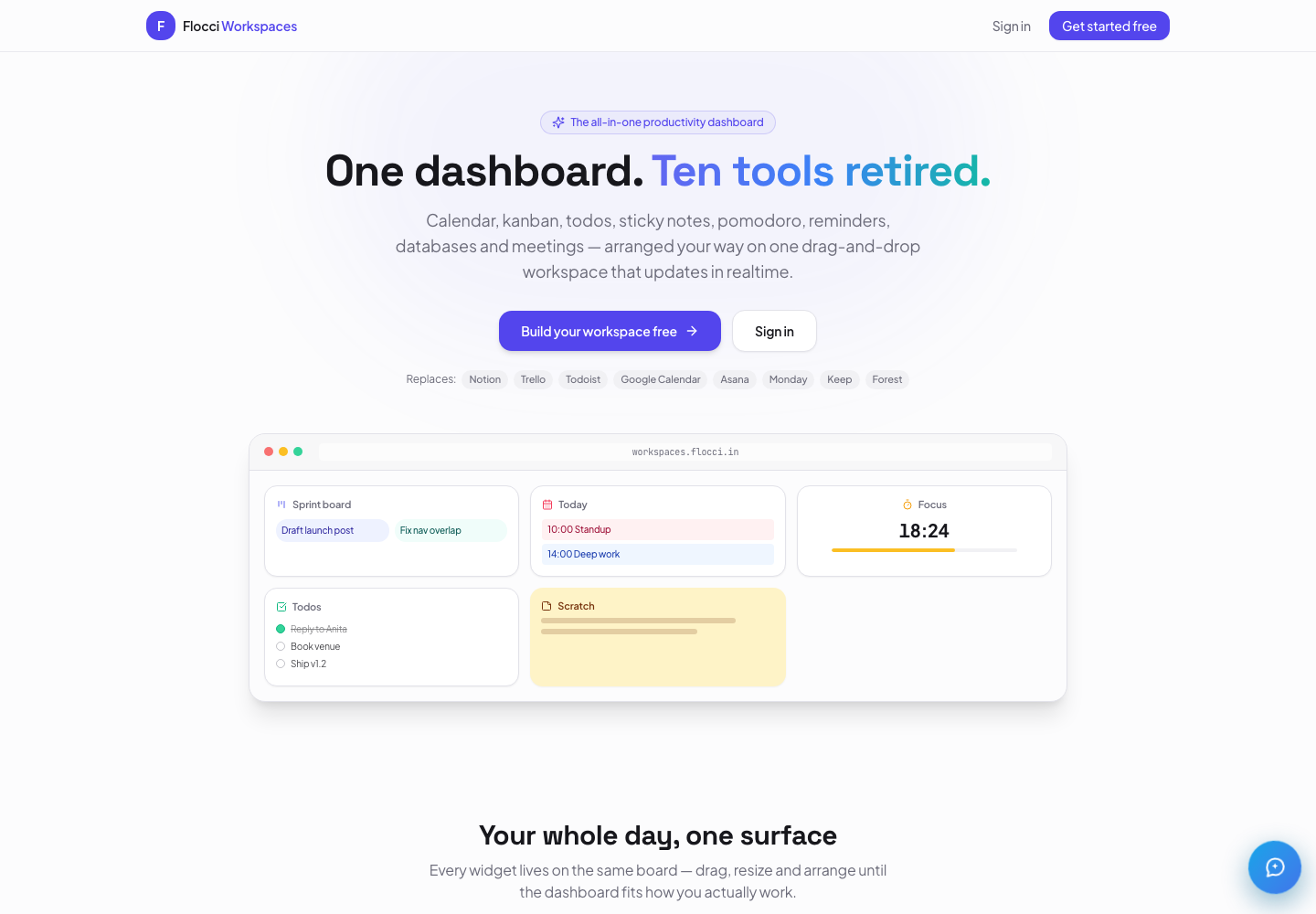
workspaces.flocci.in Preview
Live productworkspaces.flocci.in
Put your working day in one live view.
Bring Library, Projects, Notes and Calendar into a shared, drag-and-resize canvas. Add native databases, see a cross-suite My Day, and ask Flocci Chat with the current canvas and your access in context.
Shared canvasLive Flocci app viewsNative databasesCross-suite My Day
Your sales team, your builders, your people and your operations get tools made for their work. Underneath them: one account, one organisation, one wallet and intelligence that reaches across the platform.
THE PRODUCTS YOU CHOOSEStart with one. Put the platform to work.
Specialist products above. Shared identity, spending and activity foundations below.
GROW THE TEAM
Invite once. Get to work.
One Flocci identity carries across the products you use. Shared organisations, roles and teams give your people a foundation you can build on as the stack grows.
One sign-in across Flocci
Shared organisation membership
Teams, roles and invitations
PUT SPEND IN YOUR HANDS
One budget. A clearer picture.
Fund usage from one credit wallet. See spending by product, set member caps and product ceilings, and keep the ledger and receipts together in Flocci Account.
Shared credit balance
Personal and organisation spend
Budgets, caps and usage records
MAKE THE ACTIVITY USEFUL
More context. Better next moves.
Flocci Graph brings your activity into one picture. Get evidence-backed suggestions, spot adoption and budget signals, and ask the assistant about your own Flocci activity.
Product activity and credit spend
Suggestions with a relevant destination
Personal and organisation boundaries
FLOCCI INTELLIGENCE
AI that gets into the actual work.
Draft the first version. Read the long thing. Turn unstructured material into something your team can use. Flocci puts intelligence inside the workflow, with shared credit metering across the products you use.
The shared activity record captures usage, not the content of your prompts or answers.
BUILT TO EXPAND WITH YOU
One organisation subscription. A growing stack of possibilities.
Organisation seats are charged once across the platform. Metered usage draws on shared credits. Choose the products your team needs, then manage members, budgets and spend in Flocci Account.
People and payroll. The front desk and the guest folio. Admissions and the school day. These are complete industry systems built around the records, decisions and handoffs that matter.
Enterprise operations
Flocci Work Suite
The operating backbone for modern Indian organisations.
Bring employee records, attendance, leave and Indian statutory payroll into one reviewable flow. Reconcile paid days, inspect AI variance checks, finalise the run and produce payslips plus EPFO/ESIC files.
Attendance, leave, statutory payroll and an AI audit brief in one operating flow.
SPECIALIST COMMERCE SYSTEMS
The counter is just the beginning.
Five specialist products for five very different businesses. From kitchen tickets and table bills to pharmacy batches and workshop job cards, the detail goes well beyond checkout.
Automotive
Flocci Garage ERP
Every job card, bay and part under control.
Workshop operations from vehicle intake and estimates to technician workflows, inventory, inspection and invoicing.
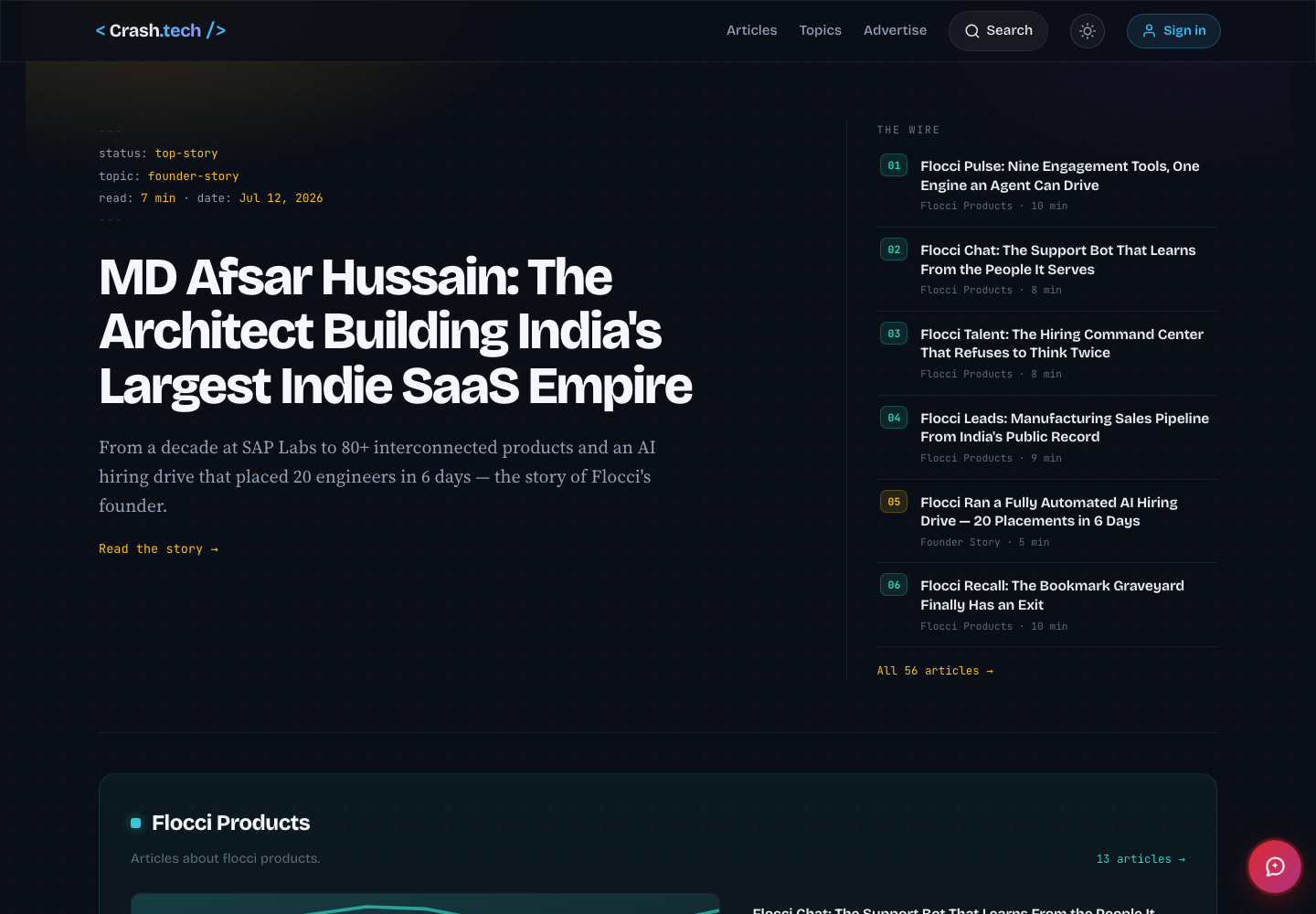
From teaching children to build with AI to publishing technology for a global audience, Flocci invests in the culture around the products too.
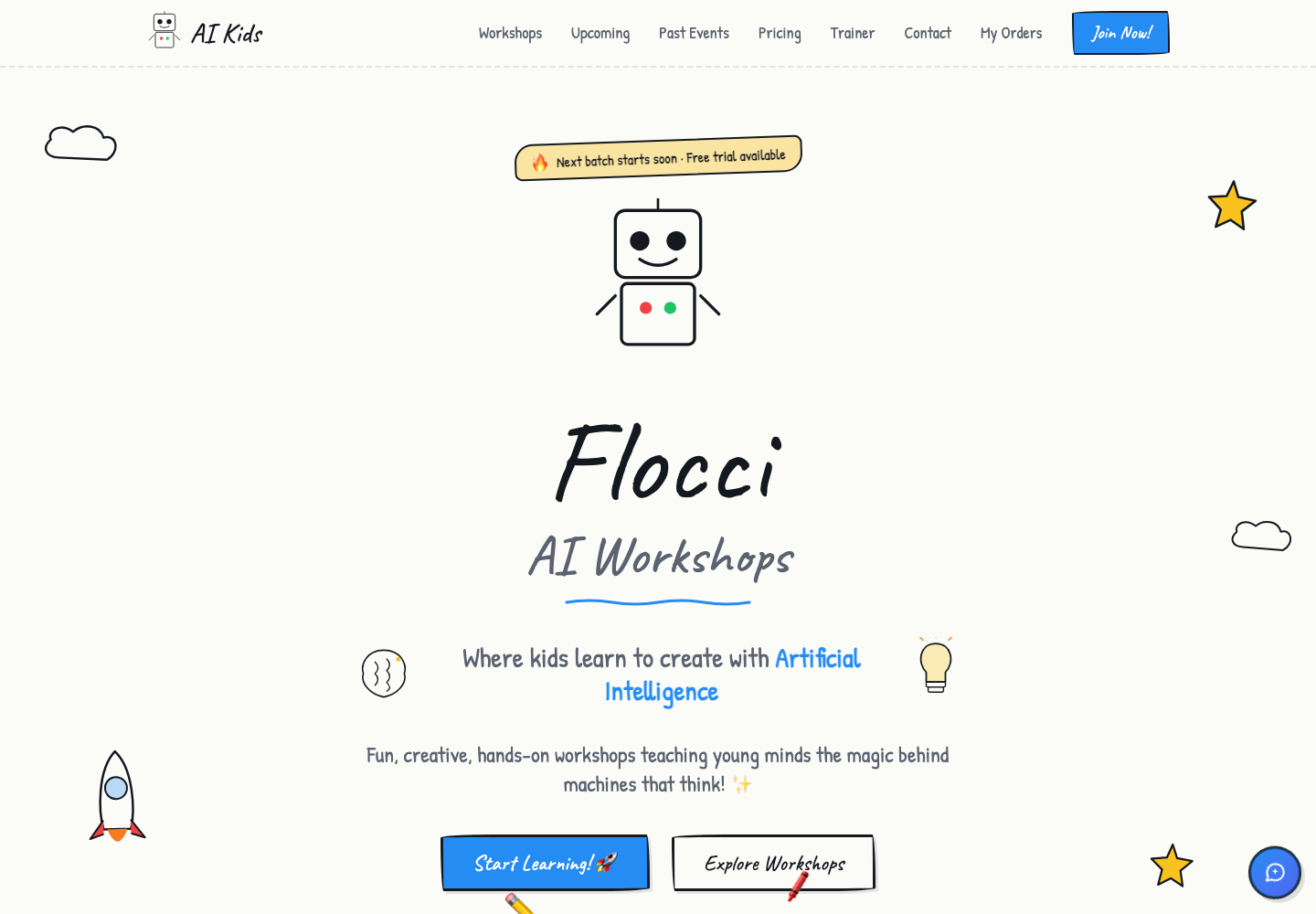
aikids.flocci.in Preview
Live productaikids.flocci.in
Let them build it. Then let them explain it.
Five live programmes turn conversational AI, generative art, machine learning, data science and Python into projects children can build and explain. Groups stay at eight or fewer, online or on campus, with parent-first booking and school/cohort operations behind every session.
Ages 6–14Five hands-on programmesGroups capped at eightOnline + on-campus
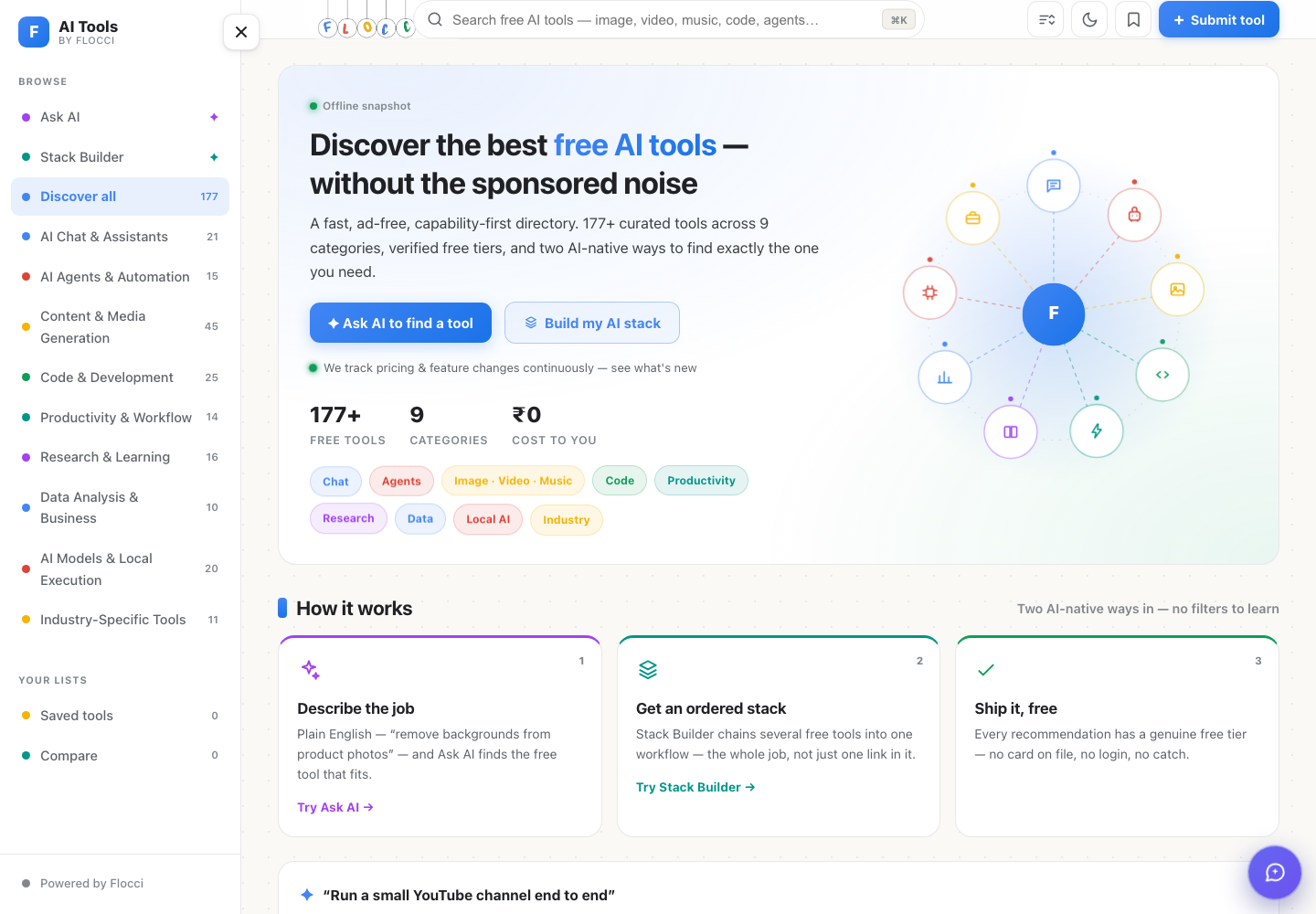
Explore an independent AI tools catalog across writing, research, design and development. Compare capabilities and pricing models, then use Ask and Stack to shape a shortlist around the work you want to do.